




Virtual Baby Shower Games: 8 Ideas for Any Video Call
Good virtual baby shower games do not depend on one app or a complicated download. They give every guest a clear way to join by speaking, typing, pointing or holding up an answer, and they still work if someone keeps their camera off. Choose three or four short rounds, send any materials in advance and ask a co-host to watch the chat while the main host explains each game.
Virtual game setup checklist
- Choose a video-call service that the invited guests can access and send one test link before the event.
- Include the start time, time zone, joining instructions and a phone or email contact for help.
- Send bingo cards, answer sheets or a short materials list at least several days ahead.
- Prepare a low-tech answer method: guests can speak, type in chat or write on paper and hold it to the camera.
- Ask permission before recording, taking screenshots or showing guest photographs.
- Keep cameras optional and avoid games that require guests to disclose pregnancy, birth or family information.
1. Picture baby bingo
Email each guest a picture-led bingo card containing familiar items such as a pram, book, teddy, blanket and socks. The host calls one item at a time while guests mark their card on screen or on paper. Play for one line so the round lasts roughly ten minutes, and let guests type “bingo” if speaking is difficult.
2. Guest baby-photo match
Invite guests to submit a childhood photograph only if they are comfortable doing so. Number the approved images and show them one at a time while players match each picture to a guest. Keep the answer sheet simple and do not use photographs that reveal private information or could embarrass the person shown.
3. Draw and guess
Give one player a prompt such as teddy, bib, storybook, cot or pram. They draw it on paper and hold it to the camera while everyone else guesses aloud or in chat. Use the same sixty-second limit for each turn and offer a verbal-clue role to anyone who cannot draw or use a camera.
4. Baby animal pairs
Prepare a slide containing adult animals and their young in mixed order. Guests write the matching numbers or names, then the host reveals the answers. Keep it visual rather than relying on unusual animal terms, and allow teams so early readers or guests using a small screen can participate.
5. Household item clue round
Read a clue such as “something soft”, “something used at bedtime” or “something that makes a gentle sound”. Guests choose an item already within reach and explain their answer. Do not turn this into a race around the home; seated participation is safer and works better for guests with limited mobility.
6. Family-friendly category challenge
Give everyone one minute to list examples for a neutral category: children’s books, family days out, things in a changing bag or words connected with sleep. Players can type, speak or show a written list. Remove any category that depends on medical or parenting knowledge.
7. Pre-approved parent quiz
Ask the celebrated parent or parents for five light questions they are happy to answer: a favourite film, a dream family day out, a childhood snack or the first song on a shared playlist. Avoid due dates, birth plans, fertility, feeding choices and other private subjects. Guests score one point for each correct answer.
8. Welcome-message story chain
Start a fictional story with one friendly sentence and invite each guest to add a short line. Guests who prefer not to speak can add a word or emoji in chat for the host to read. Keep the story about a family adventure, books, animals or a celebration rather than predicting the baby’s appearance or personality.
A practical 60-minute virtual schedule
- 0–10 minutes: arrivals, audio check and simple picture bingo.
- 10–25 minutes: one photo, drawing or matching round.
- 25–35 minutes: conversation and screen break.
- 35–50 minutes: category challenge or parent quiz.
- 50–60 minutes: messages, thanks and an optional group photograph.
Make online games easier to join
Use large text, high-contrast slides and short spoken instructions. Read every visual prompt aloud and repeat answers before moving on. Provide the materials in advance, leave time for slower connections and never eliminate someone because their audio drops. A co-host can privately help guests who cannot find the chat or rejoin after a disconnection.
Using Zoom for the event?
Our Zoom baby shower games guide explains how to use polls, chat, screen sharing, reactions and breakout rooms. If you are still choosing the event style, compare the options in the co-ed, virtual and hybrid baby shower guide.
Add a coordinated round for a hybrid shower
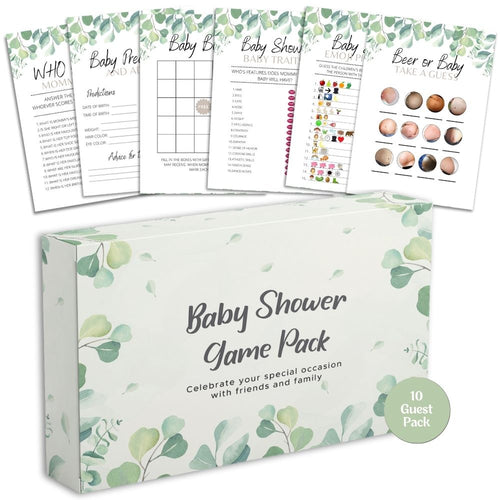
If some guests will be together in one room, the Forever Lily Baby Shower Games Bundle gives the local table six coordinated paper games in guest packs for 10, 20, 30 or 40 people. The host can read a suitable prompt aloud so remote guests answer verbally or in chat; allow the stated 2–4 working days for UK delivery.


