




Zoom Baby Shower Games: 7 Ideas Using Zoom Features
Zoom baby shower games work best when the host uses a few meeting controls deliberately instead of asking guests to learn lots of features during the party. Build the event around chat, screen sharing and simple verbal answers, then add polls or breakout rooms only if the host’s account supports them. Assign a co-host, test every file and keep a paper-or-chat fallback ready.
Check the Zoom setup before the shower
- Schedule the meeting and send the joining link, time zone and host contact in one clear message.
- Ask a co-host to admit guests, watch chat and keep score while the main host speaks.
- Open every slide, photograph and answer sheet before guests arrive.
- Enable only the features you plan to use and test them from a second device.
- Tell guests that cameras are optional and ask permission before recording or taking screenshots.
- Turn on available captions and read visual prompts aloud.
Zoom features vary by plan, account settings and app version. Zoom’s current guidance says meeting polls and quizzes require an eligible licensed host and must be enabled; check the official polls and quizzes instructions. Breakout rooms also need to be enabled and configured; see Zoom’s breakout-room guidance. If a control is unavailable, use the fallback given below rather than delaying the event.
1. Poll or chat baby quiz
Create five light multiple-choice questions with one clear answer each. Launch them as a Zoom quiz if the feature is available, or paste each question into chat and let guests reply A, B or C. Use books, songs and familiar baby items rather than medical claims or questions about pregnancy and birth.
2. Screen-share childhood-photo match
With permission, place numbered childhood photographs into a short slide deck and share the presentation window. Guests send their matches privately to the scorekeeper or write a numbered list. Do not share an entire desktop containing messages or notifications; select only the prepared presentation window.
3. Chat waterfall predictions
Ask a neutral question such as “Which children’s book would you bring?” or “Choose a family day-out theme.” Everyone types an answer but waits to press Enter until the host counts down. The answers then appear together, avoiding an advantage for the fastest typist. Read a selection aloud for anyone not following chat.
4. Breakout-room category challenge
Place guests in small rooms for five minutes and give every room the same category, such as storybook characters, things that are soft or items in a changing bag. One person records the answers and shares them in the main room. If breakout rooms are unavailable, create teams in the main meeting and alternate thirty-second turns.
5. Reaction-icon vote
Show two or three safe options on a slide and ask guests to vote using available reaction icons: book or blanket, woodland or stars, picnic or film night. This is a quick warm-up rather than a knowledge test. Guests can type their choice or raise a hand if the reaction controls are not accessible to them.
6. Close-up screen-share quiz
Prepare close-up photographs of a teddy, storybook cover, ribbon, baby sock or other ordinary object. Share one image at a time and ask guests to identify it. Use your own photographs or images you have permission to display, and include a spoken clue so the round does not depend entirely on vision.
7. Caption-friendly story chain
Begin a fictional welcome story and invite each guest to add one sentence. Pause between speakers so automated captions have time to display, and let guests contribute through chat. Zoom lists automated captions and related transcript controls among meeting settings; hosts can review the current options in the official meeting-settings guide.
A 45-minute Zoom game plan
- 0–5 minutes: joining, captions and chat check.
- 5–15 minutes: poll or chat quiz.
- 15–25 minutes: photo match or close-up screen share.
- 25–30 minutes: screen and conversation break.
- 30–40 minutes: breakout challenge or main-room team round.
- 40–45 minutes: story or message round and thanks.
Troubleshooting without stopping the party
If a guest loses audio, let them answer in chat. If screen sharing fails, read the prompt aloud and paste it into chat. If a breakout room does not open, keep everyone in the main room. If the host disconnects, the co-host should have the question list and running order. Keep support private so a guest is not singled out in front of the group.
Planning on another platform?
Use the platform-neutral virtual baby shower games guide for activities that do not depend on Zoom controls. The co-ed, virtual and hybrid format guide helps choose the right event structure before you build the schedule.
Add an in-room paper round
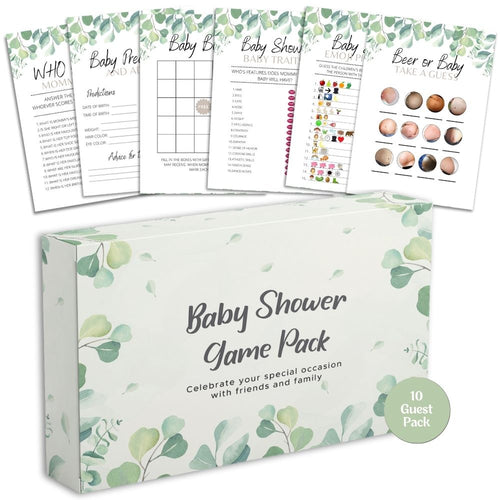
For a hybrid event with a local group, the Forever Lily Baby Shower Games Bundle provides six coordinated games in guest packs for 10, 20, 30 or 40. Choose a round that can be read aloud while remote guests answer in chat, and do not imply that the physical cards include a digital download.


